Getting to know Microsoft Lists

As Microsoft Lists starts rolling out to Microsoft 365, I find that more and more people seem to get confused about Microsoft Lists vs SharePoint, or complaining about how they’ll have to “learn a new product … again!”.
To help alleviate concerns, I thought it would be a great opportunity to introduce you to the upcoming list templates that will be available when it shows up on your tenant.
I’m not using a secret preview of Lists or anything like that; I have cobbled the information from public Microsoft materials. As such, the actual details described in this post may change when Lists roll out completely.
Lists Home
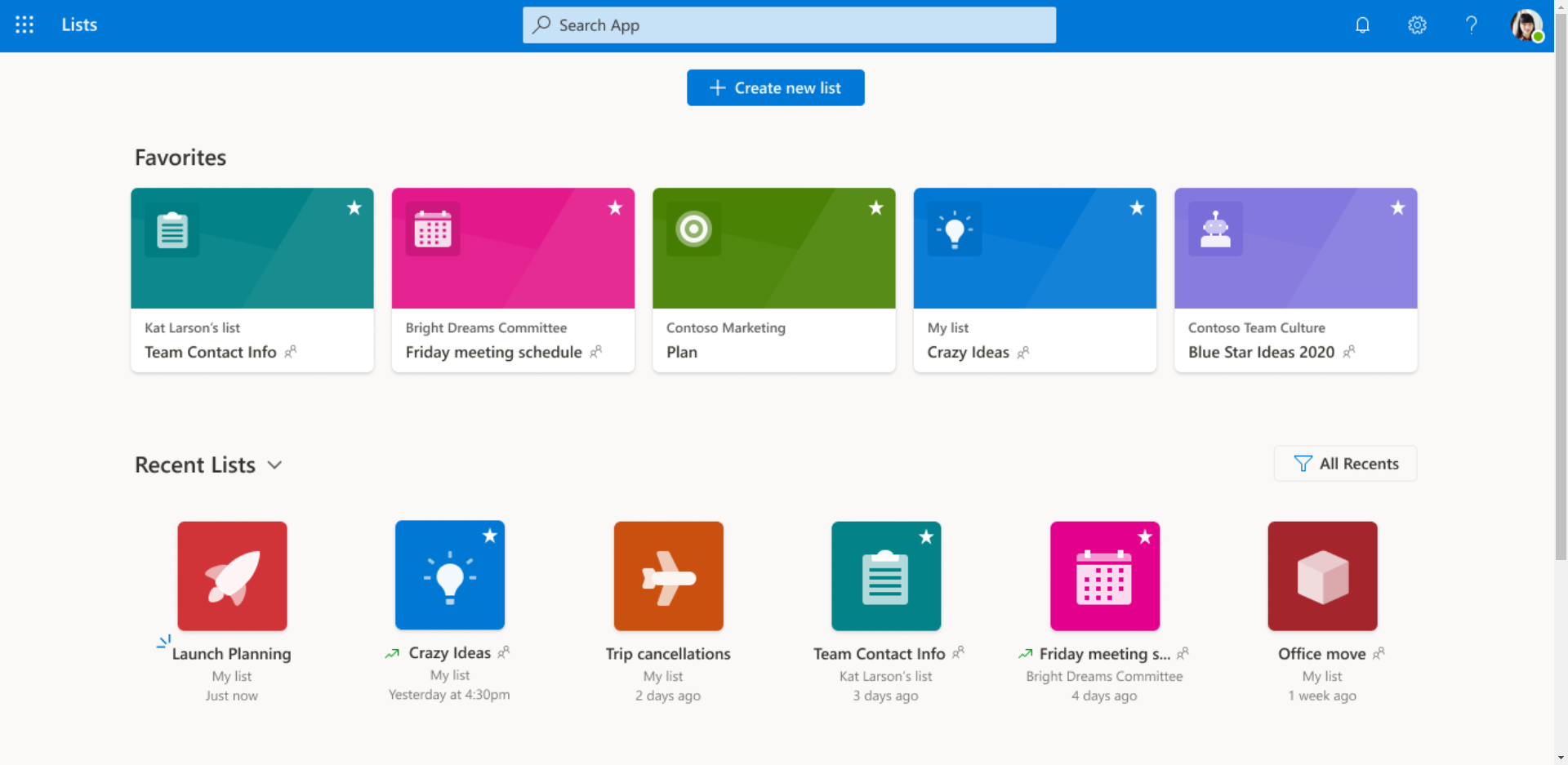
When it becomes available on your tenant, you’ll find a new Lists icon in your suite bar (a.k.a. “The Waffle”). This is where you’ll find your recent lists, your favorite lists, and where you’ll be able to create lists easily.
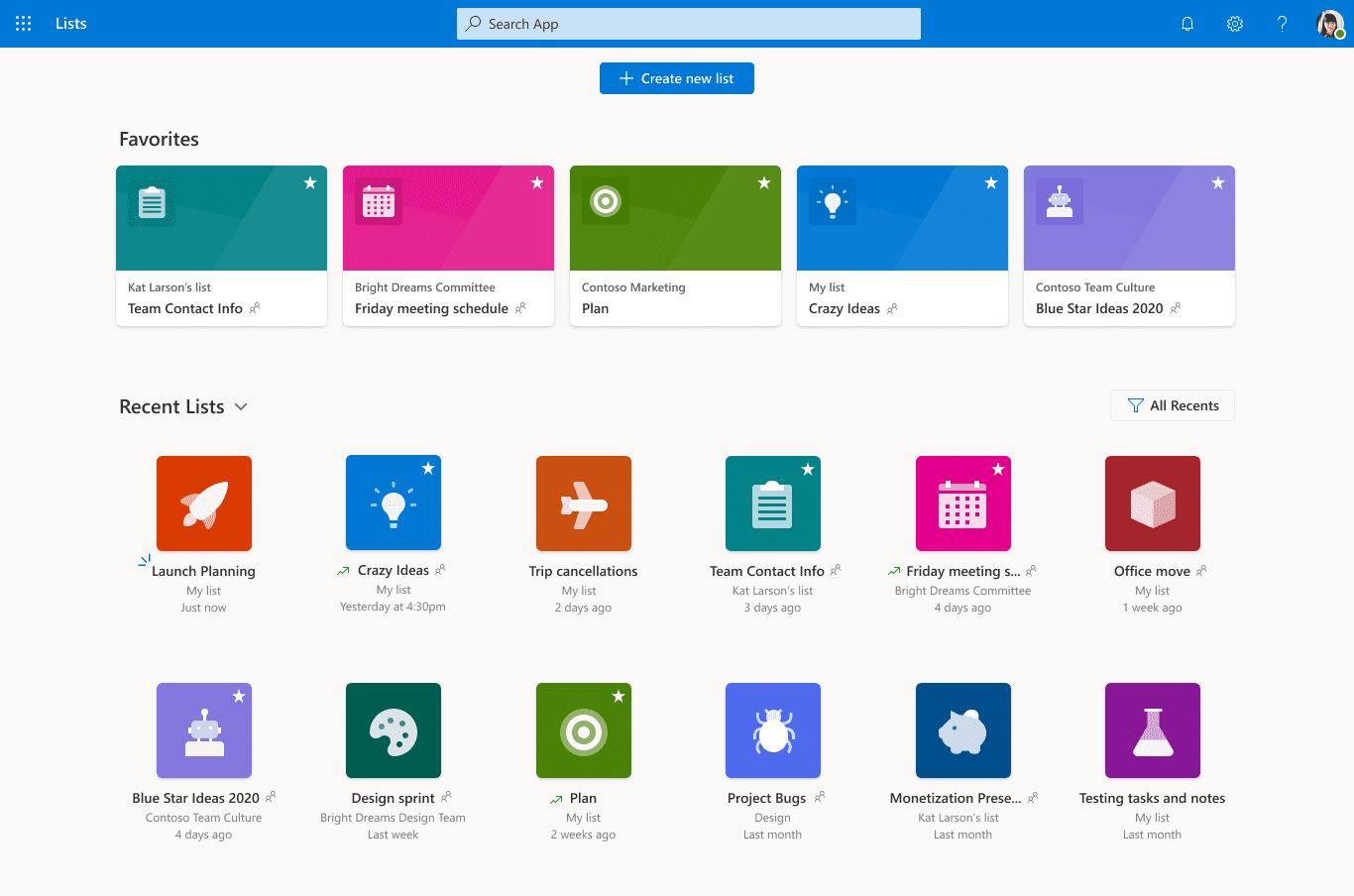
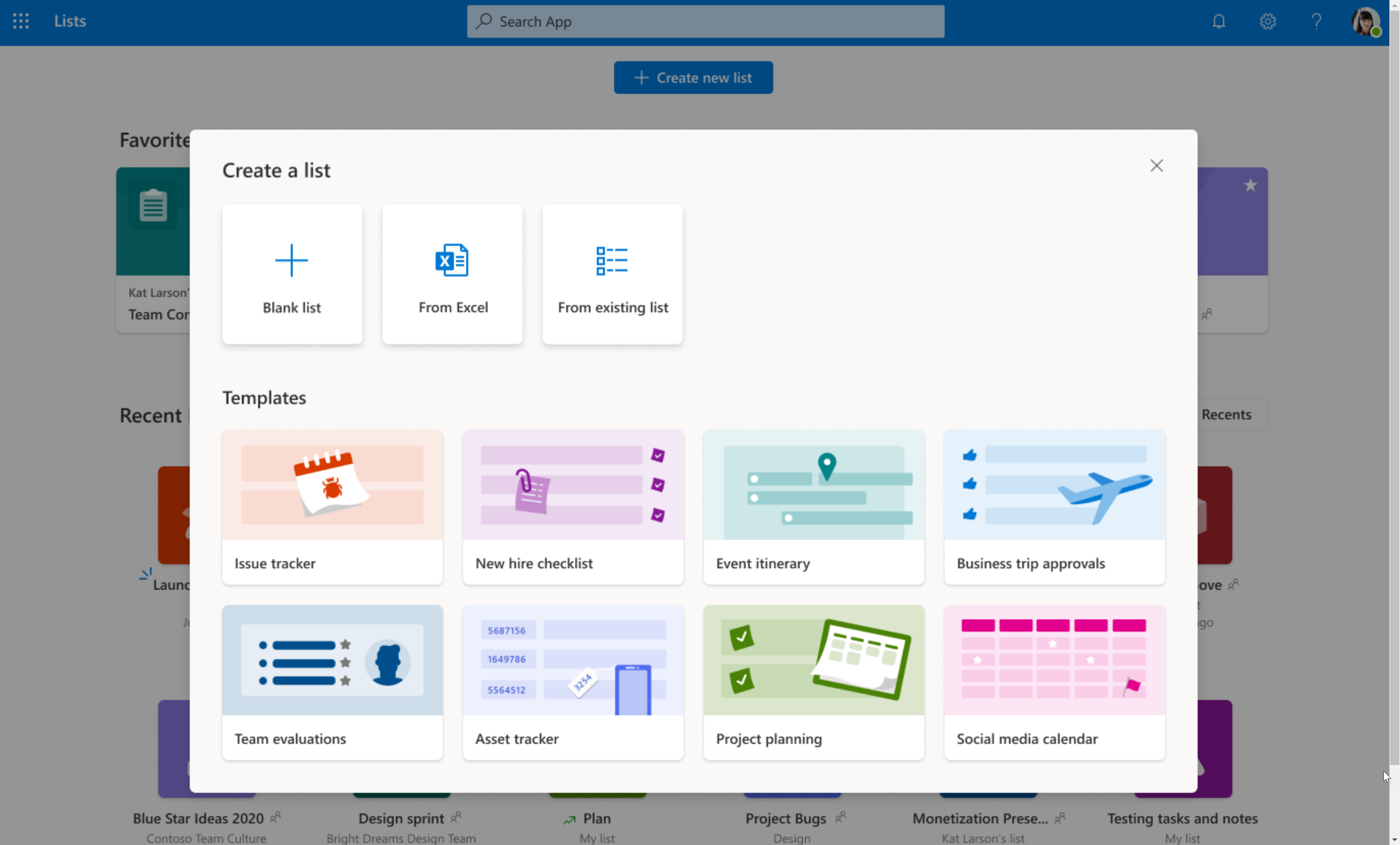
You can create a new list by selecting + Create new list at the top of the screen and selecting to create from a Blank list, From Excel, From an Existing List or pick from the existing Templates.
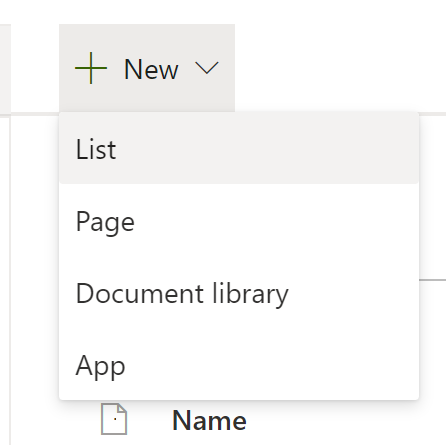
Note that you’ll also be able to create a list from SharePoint (under Site Content | New | List) and from Microsoft Teams.
I’ll cover the templates at your disposal (since everything else hasn’t changed much)
As of now, the templates that are available are (may be subject to change):
- Issue Tracker
- New hire checklist
- Event itinerary
- Business trip approvals
- Team evaluations
- Asset tracker
- Project planning
- Social media calendar
Let’s cover each one in greater details
Issue Tracker
The issue tracker makes it easy to manage issues, track statuses, priorities, and notify your team when things happen.
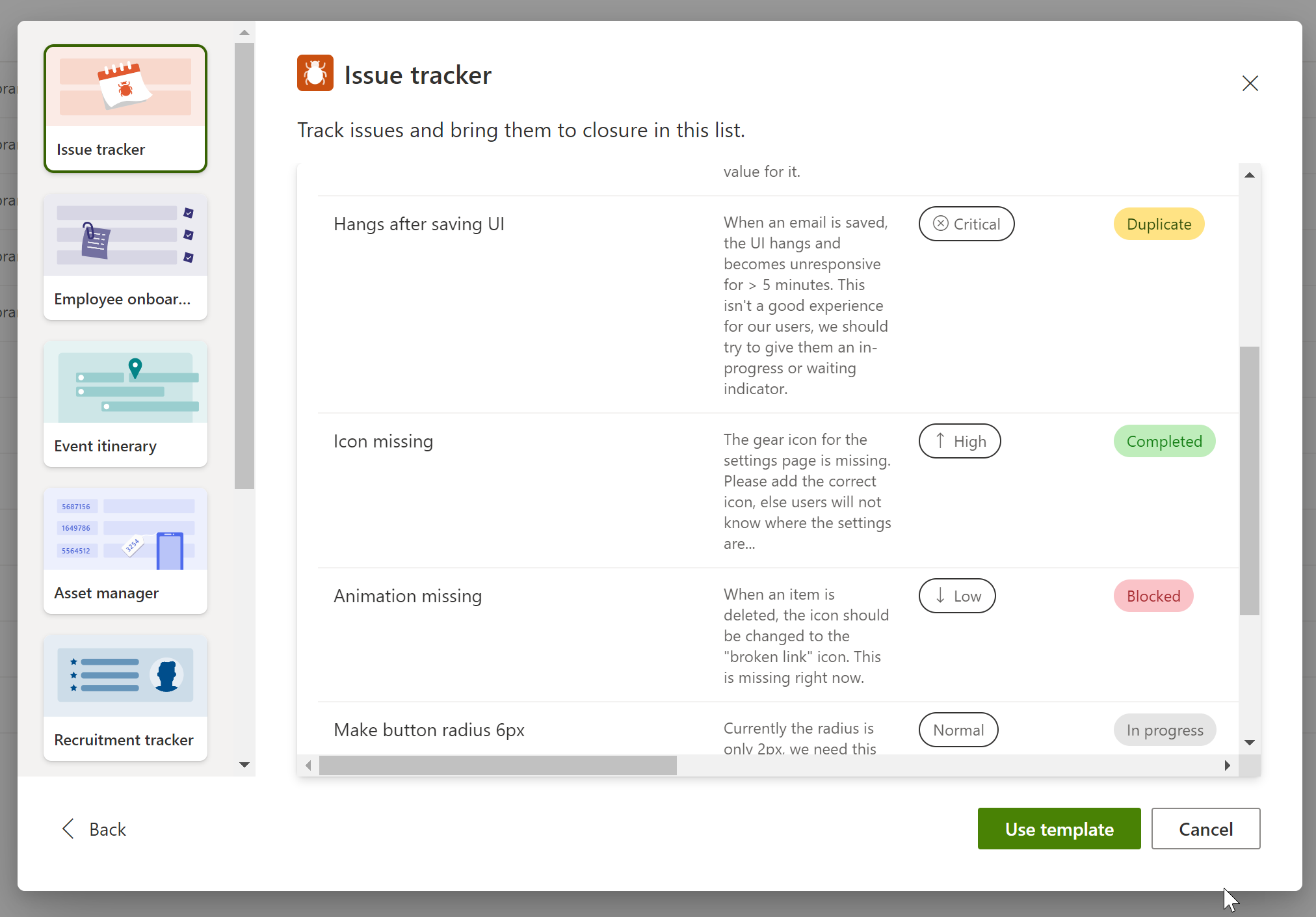
You can imagine adding this list to every project site
Columns
Column
Type
Comments
Title
Single line of text
Required
Modified
Date and Time
Created
Date and Time
Issue description
Multiple lines of text
Describe the issue
Priority
Choice
The priority of this issue.
Choices include:
– Critical
– High
– Normal
– Low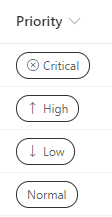
Status
Choice
Status of the issue
Choices include:
– New (Default)
– Blocked
– In progress
– Completed
– Duplicate
– By design
– Won’t fix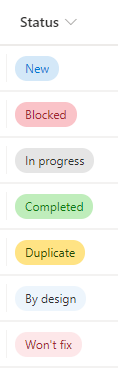
Person or group the issue is assigned to
Person or Group
Date reported
Date and Time
The date the issue was reported
Days old
Calculated
Number of days since date reported
Issue source
Hyperlink or Picture
Where was the issue logged (ticket, customer support call, etc.)
Images
Thumbnail
Any photos or images of the issue
Issue logged by
Person or Group
Created By
Person or Group
Modified By
Person or Group
Associated files
Attachments
Any other files associated with the issue
Views
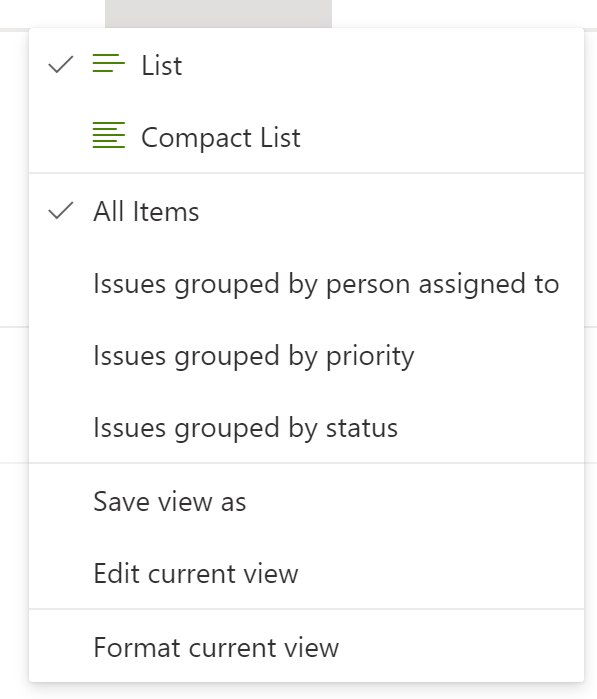
The issue tracker list includes the following views:
- All Items
- Issues grouped by person assigned to
- Issues grouped by priority
- Issues grouped by status
Employee Onboarding
One of those lists that every organization should have, the onboarding list helps you manage new employees as they start on their first day at your company.
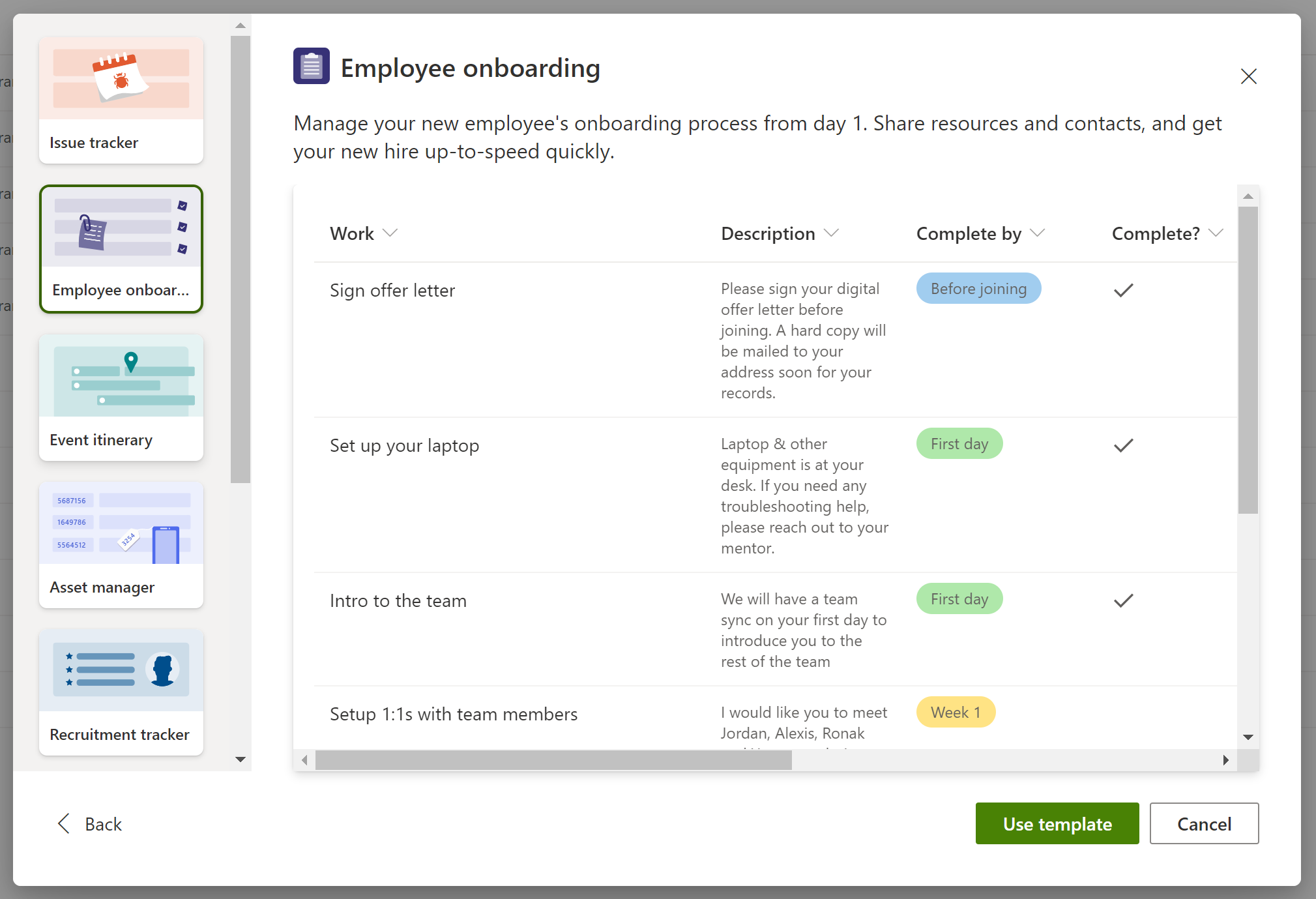
It looks like this would be a generic list you would show on an Employee orientation site. The same items would appear for every employee, although you could use this list to create new workflow tasks for new employees.
Columns
Column
Type
Comments
Title
Single line of text
Required
Modified
Date and Time
Created
Date and Time
Description
Multiple lines of text
Complete by
Choice
The due date by when work should be completed.
Choices include:
Before joining
First day
Week 1
After 30 days
After 60 days
After 90 days
Complete?
Yes/No
Mark as yes if work is completed
Completed On
Date and Time
Date on which work was completed
Mentor
Person or Group
Point of contact to help with the work item
Relevant link
Hyperlink or Picture
Helpful link to support the work
Relevant files
Attachments
Helpful files to support the work
Created By
Person or Group
Modified By
Person or Group
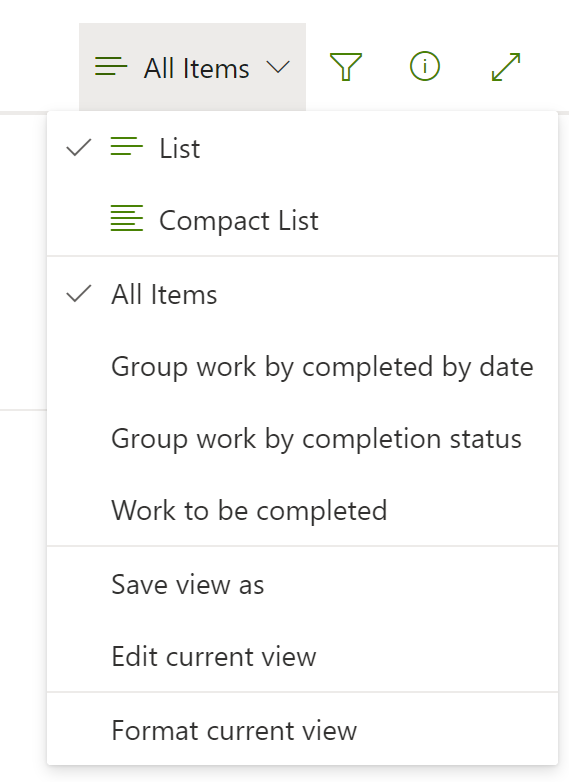
Views
- All Items
- Group work by completed by date
- Group work by completion status
- Work to be completed
Event Itinerary
A great way to plan events.
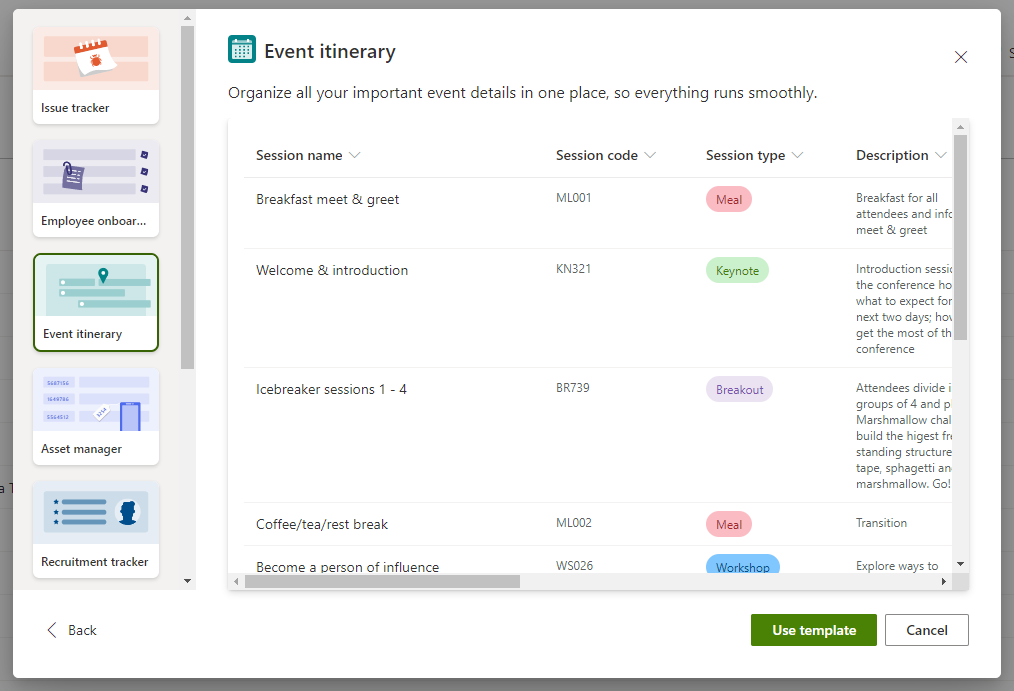
So this is how Microsoft plans all these awesome events?!
Columns
Column
Type
Comments
Title
Single line of text
Required
Modified
Date and Time
Created
Date and Time
Session code
Single line of text
Session type
Choice
Describes what kid of a session this is
Choices include:
– Meal
– Keynote
– Breakout
– Workshop
– Panel
– Talk
– Networking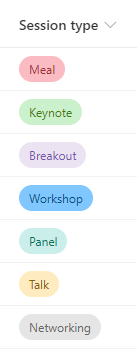
Description
Multiple lines of text
Speaker(s)
Person or Group
Start date and time
Date and Time
End Date and Time
Date and Time
Duration
Calculated
Capacity
Number
Location
Choice
Notes
Multiple lines of text
Created By
Person or Group
Modified By
Person or Group
Attachments
Attachments
Views
- All Items
- Event itinerary – grid view
- Event itinerary – list view
- Grouped by session type
Asset Manager
An great way to keep track of all your stuff, and whether they are checked-in and returned (and when).
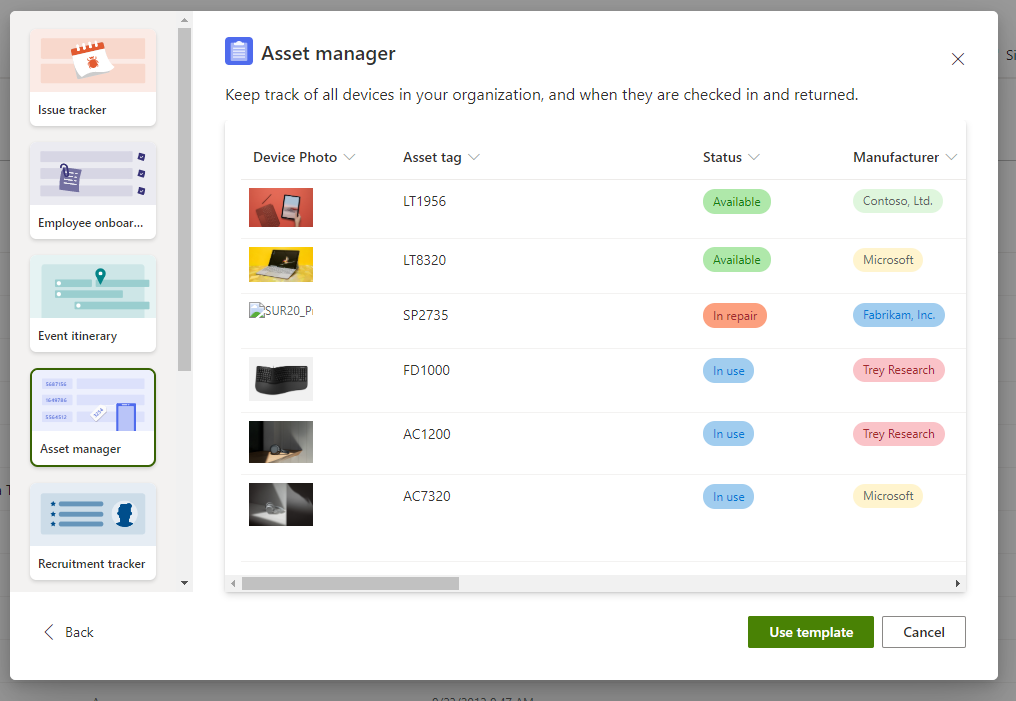
NOTE TO SELF: Must create an asset manager list to keep track of all the stuff I lent to my neighbors.
Columns
Column
Type
Comments
Asset Tag
Single line of text
Required
Modified
Date and Time
Created
Date and Time
Device Photo
Thumbnail
Image of the asset
Status
Choice
Status of the asset
One of:
– Available
– Reserved
– In use
– In repair
– Retired
Manufacturer
Choice
Manufacturer of the asset. Intended to be replaced with your own list of manufacturers.
Model
Single line of text
Model/make of the device
Asset type
Choice
Type of asset:
– Smartphone
– Laptop
– Tablet
– Printer
– Accessory
Color
Choice
Choice of:
– Space gray
– White
– Black
– Silver
– Dark blue
– Pink
– Red
Serial number
Single line of text
Serial number associated with the asset
Purchase date
Date and Time
When the asset was purchased
Purchase price
Currency
The purchase price of the asset
Order #
Single line of text
Order or invoice number for the purchase
Current owner
Person or Group
Person currently using the asset
Previous owner
Person or Group
Person who last used the asset
Due date
Date and Time
When the asset will be returned by the current owner
Condition notes
Multiple lines of text
Notes about the current condition of the asset
Created By
Person or Group
Modified By
Person or Group
Attachments
Attachments
Views
- All Items
- Grouped By asset type
- Grouped By manufacturer
- Purchase information
- All available assets
- Asset gallery
Recruitment Tracker
Keep track of your recruitment pipeline within your company or team and keep track of the candidates, their potential position, hiring process, recruiter, etc.
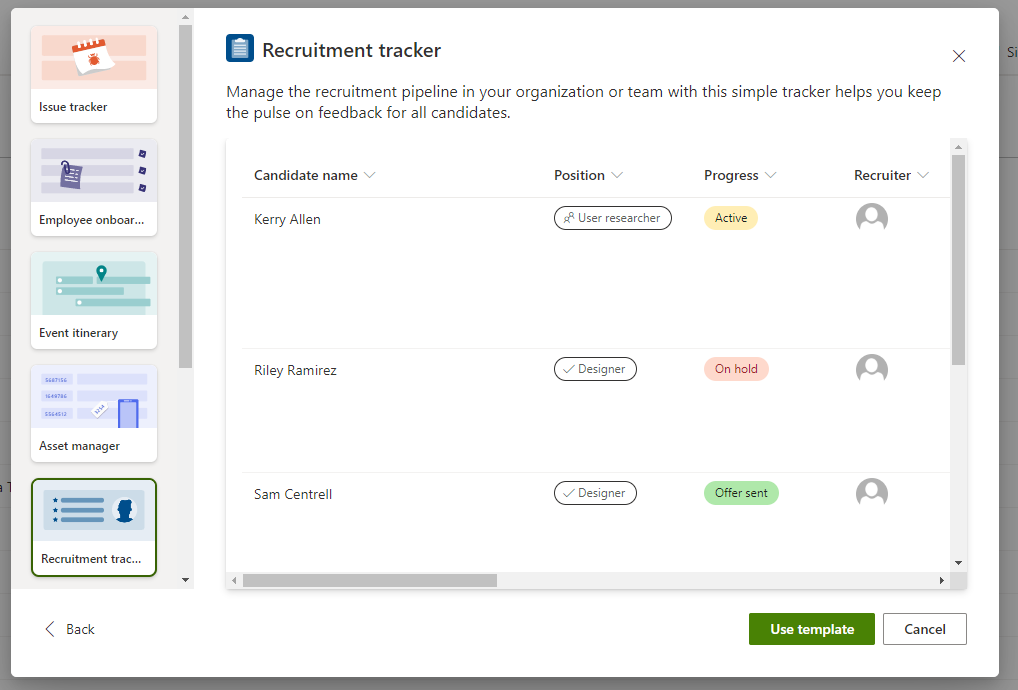
Seems to be designed to make it easy to adapt to your own business process. I hope that one day I’ll show up on one of those lists at Microsoft 😉
Column
Type
Comments
Candidate Name
Single line of text
Required
Modified
Date and Time
Created
Date and Time
Position
Choice
Position the candidate is applying for. Contains sample positions that you’ll want to change to suit your needs.
Progress
Choice
Where the candidate is in the hiring process
Choice of:
– New application
– Active
– On hold
– Top pick
– Offer sent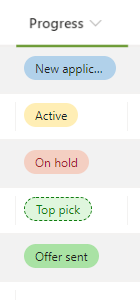
Recruiter
Person or Group
Person who will manage candidate scheduling
Application date
Date and Time
Date the application was submitted
Phone screen date
Date and Time
Date on which candidate will be phone-screened
Phone screener
Person or Group
Person who will screen candidate by phone
Interview date
Date and Time
Date of the interview
Interviewer(s)
Person or Group
Person or team who will interview the candidate
Notes
Multiple lines of text
Notes about the candidate
LinkedIn profile
Hyperlink or Picture
URL pointing to the candidate’s LinkedIn profile
Created By
Person or Group
Modified By
Person or Group
Resume or CV
Attachments
Attach candidate’s resume or CV here, if available
Views
- All Items
- All Items in Grid
- Group by role
- Group by application status
- All new and active applicants
Travel requests
This list template doesn’t have a description. Probably because no one is traveling right now.
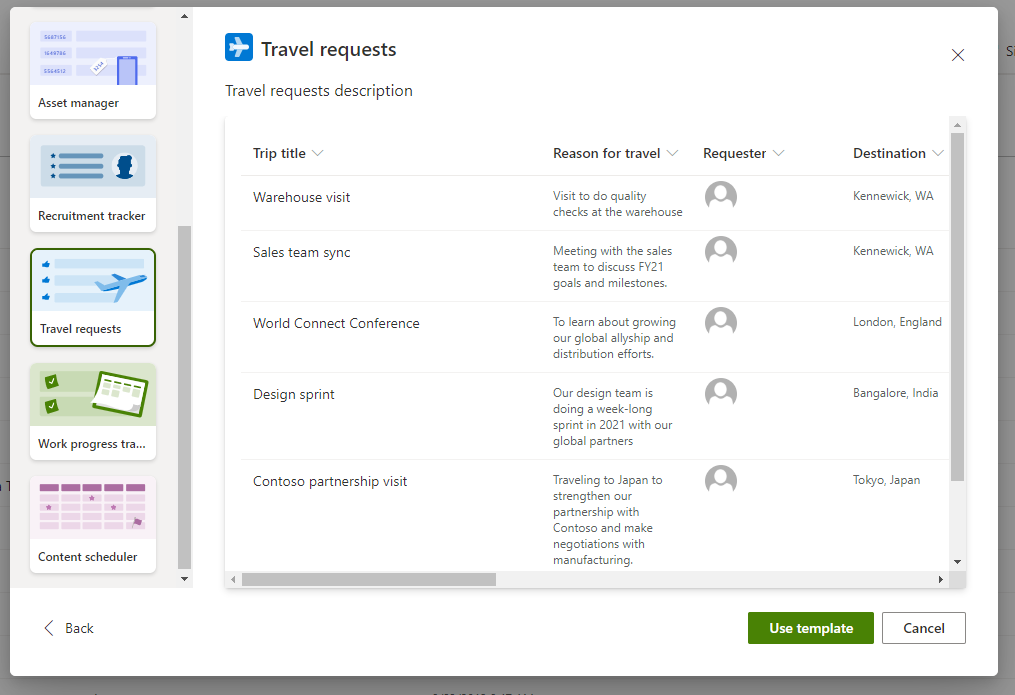
Not only is this list useful for tracking travel requests, but you could also use it to track who’s currently away (in case of emergencies, etc.)
Columns
Column
Type
Comments
Trip Title
Single line of text
Required
Modified
Date and Time
Created
Date and Time
Reason for travel
Multiple lines of text
Provide a reason for this travel request. (Possible reason: to get there?)
Requester
Person or Group
Person who is going on this trip
Destination
Location
Provide the trip destination
Travel start date
Date and Time
Date when the travel starts
Travel end date
Date and Time
Date when the travel ends
Travel duration (days)
Calculated
Airline
Choice
Name of the airline you will be flying with
Choice of:Alaska Air
Southwest
British Airways
Emirates
Japan Airlines
Estimated airfare
Currency
Estimated cost of airline tickets
Hotel
Location
Which hotel will you be staying at
Estimated hotel cost
Currency
Estimate hotel costs and description (not including the $50 can of peanuts)
Approved?
Yes/No
Is this travel request approved
Created By
Person or Group
Modified By
Person or Group
Attachments
Attachments
Views
- All Items
- Grouped by approval status
Work progress tracker
Track priorities and progress as you work towards delivering products and services.
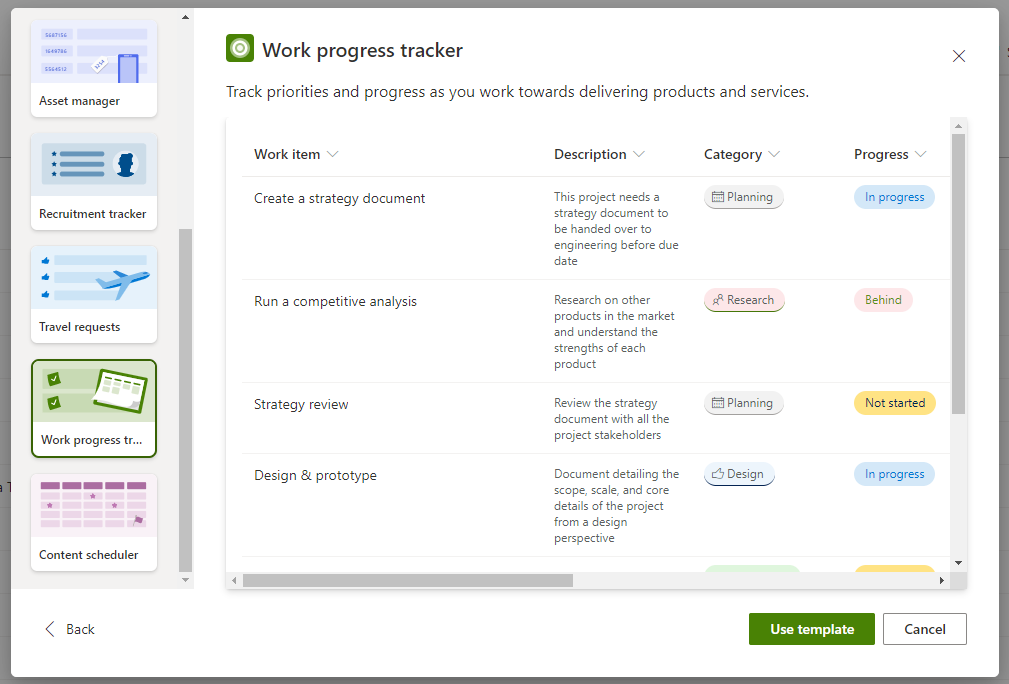
Columns
Column
Type
Comments
Work item
Single line of text
Modified
Date and Time
Created
Date and Time
Description
Multiple lines of text
Work to be done
Category
Choice
Type of work
Choice of:
– Planning
– Design
– Engineering
– Marketing
– Research
Progress
Choice
Choice of :
– Not started
– In progress
– Completed
– Blocked
– Behind
Priority
Choice
Choice of:
– Critical
– High
– Medium
– Low
Start date
Date and Time
Date on which work was started
Due date
Date and Time
Due date by when work should be completed
Assigned to
Person or Group
Person or group the work is assigned to
Notes
Multiple lines of text
Additional notes
Created By
Person or Group
Attachments
Attachments
Modified By
Person or Group
Views
- All Items
- Grouped by approval status
Content scheduler
Plan, schedule, and manage your content with this template. Filter down to just the items that are due soon, or get notifications when authors check in their drafts.
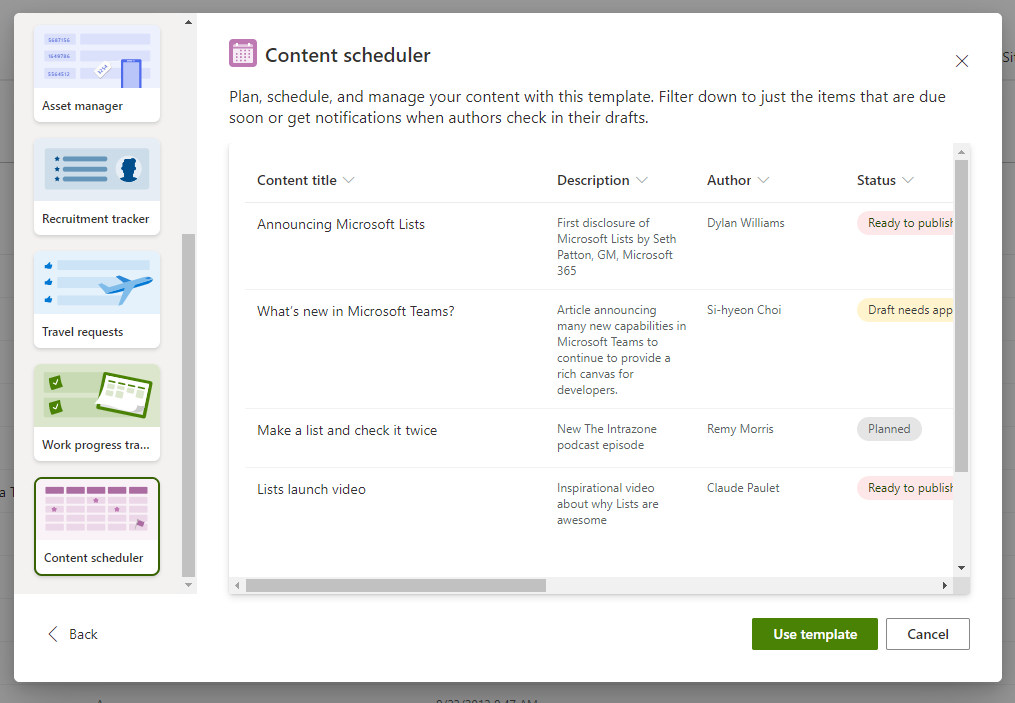
Imagine using this when creating a blog post series with multiple guest authors, but you could also use this for issuing RFPs, responding to proposals, etc.
Columns
Column
Type
Comments
Content title
Single line of text
Required
Modified
Date and Time
Created
Date and Time
Description
Multiple lines of text
Describe the content in a few words
Status
Choice
Choice of:
– Planned
– Assigned
– Draft needs approval
– Ready to publish
– Published
Draft due by
Date and Time
Date when the draft is due
Publish by
Date and Time
Date when content should be published
Content type
Choice
Type of content being created –not SharePoint content-type
Choice of:
– Help article
– Blog post
– Video
– Social media post
Content image
Thumbnail
Image used in the content
Published link
Hyperlink or Picture
Link once the content is published
Author
Person or Group
Modified By
Person or Group
Content files
Attachments
Additional files, such as the text and additional images if more than one is used.
Conclusion
As you can see, Microsoft Lists are going to be useful, but they’re also going to be very familiar because they’re really your good old SharePoint lists, but made available outside of SharePoint.
I hope this helps?
For More Information
Updates
- July 28, 2020: Minutes after posting this blog, people started reporting that Microsoft Lists is showing up on their tenants. Very exciting!